

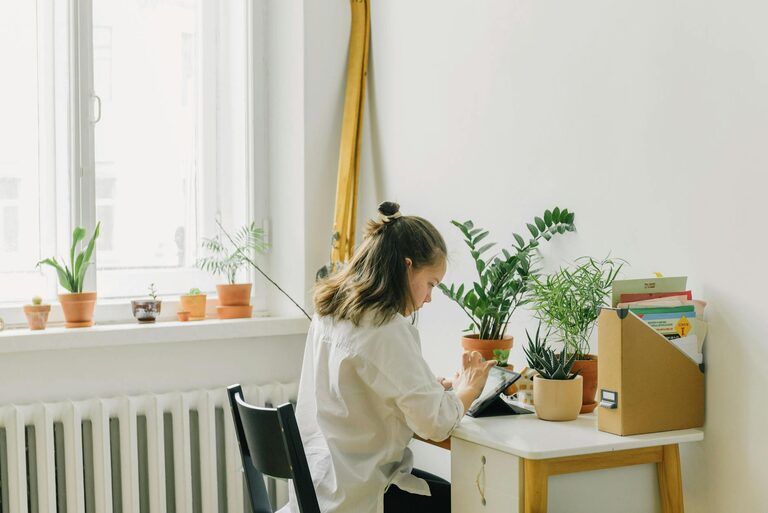
Working from home has become a common part of many people’s lives, making it more important than ever to have a dedicated, productive space to focus and get things done. A well-designed home office can improve concentration, reduce stress, and help maintain a healthy work-life balance. Here are some tips to help you create a productive home office space that suits your needs.
1. Choose the Right Location
Consider Natural Light
Try to set up your office in a spot with plenty of natural light. Daylight helps improve mood and reduces eye strain. If possible, place your desk near a window but avoid direct glare on your screen.
Minimise Distractions
Pick a quiet area away from noisy parts of your home. If you don’t have a separate room, use room dividers or noise-cancelling headphones to create a sense of separation.
2. Invest in a Comfortable Desk and Chair
Ergonomics Matter
Your chair and desk should support good posture. Look for adjustable chairs with lumbar support and a desk at elbow height to prevent strain.
Sitting and Standing
If possible, consider a sit-stand desk. Alternating between sitting and standing can improve circulation and reduce fatigue.
3. Organise Your Workspace
Declutter Regularly
A tidy desk reduces distractions and helps you focus. Keep only essential items on your desk and store the rest away.
Use Storage Solutions
Shelves, drawers, and organisers can help keep paperwork and office supplies neat and accessible.
4. Set Up Proper Lighting
Combine Lighting Types
Use a mix of ambient, task, and accent lighting. A good desk lamp can provide focused light for reading and detailed work without causing eye strain.
Avoid glare
Position lights and screens to avoid glare which can cause headaches and reduce work efficiency.
5. Personalise Your Space
Add Inspiring Elements
Plants, photos, or artwork can make your office feel inviting and boost your mood.
Keep it Functional
While personal touches help, ensure they don’t clutter your workspace or cause distractions.
6. Manage Technology Efficiently
Reliable Internet and Equipment
Ensure a stable internet connection and invest in quality devices like a monitor, keyboard, and mouse for comfort and efficiency.
Cable Management
Use cable organisers or clips to keep wires tidy and prevent tangling.
7. Set Boundaries and Routine
Define Work Hours
Keeping regular work hours helps separate work and personal life, especially when working from home.
Communicate Boundaries
If you share your home with others, communicate your work schedule to avoid interruptions.
8. Incorporate Break Areas
Have a Separate Spot to Relax
If space allows, create a small area for breaks away from your desk. This helps refresh your mind during the day.
Move Regularly
Set reminders to stand up, stretch, or take short walks to improve circulation and reduce fatigue.
Conclusion
Creating a productive home office space is all about balancing comfort, organisation, and personal touches. By choosing the right location, investing in ergonomic furniture, keeping your desk organised, and managing technology well, you can design a workspace that supports your work style and helps maintain focus. Remember to set boundaries and take regular breaks to sustain productivity throughout your workday. With these tips, your home office can become a place where you enjoy working and achieve your best results.